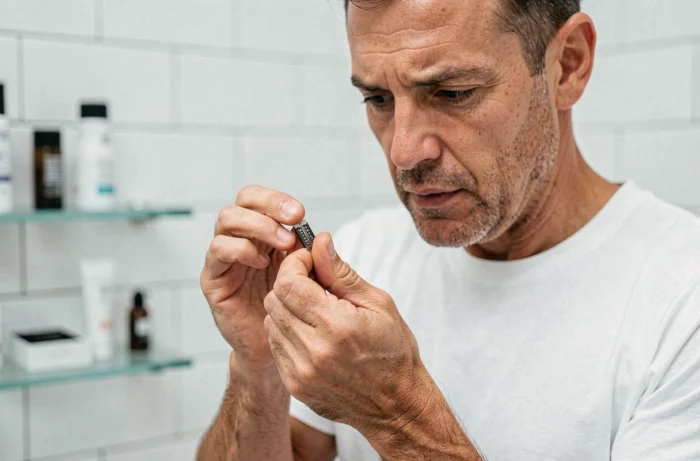
Philips announces a lifespan of four months for the OneBlade Pro blades. This figure is based on a specific assumption: two complete shaves of the face per week. As soon as the frequency or the shaved area changes, this estimate loses its relevance. Understanding what actually wears out a OneBlade Pro blade, and knowing which references fit which handle, helps avoid unnecessary purchases.
Announced lifespan and actual lifespan of OneBlade Pro blades
The table below contrasts Philips’ promise with the variables that actually modify the longevity of a OneBlade Pro blade.
| Criterion | Philips Data | Usage Reality |
|---|---|---|
| Announced lifespan | Up to 4 months | Variable depending on frequency and duration of sessions |
| Reference frequency | 2 complete shaves per week | Daily shaving significantly reduces longevity |
| Shaving area | Face only | Using on face + body = accelerated wear |
| Indicator engraved on the blade | Visible symbol = replacement | The symbol may appear early; Philips recommends waiting until the hashed pattern has clearly disappeared |
| Orange indicator (some Pro models) | Replacement signal | Does not detect the new blade; manual reset required |
The gap between the promise and actual usage mainly comes down to frequency. A user who shaves every day uses twice as many passes as a bi-weekly user. In most cases reported by users, the blade lasts no more than two months.
A complete file details the lifespan of the OneBlade Pro on Beauté Nature, with a focus on the 360 blades and their performance over time.
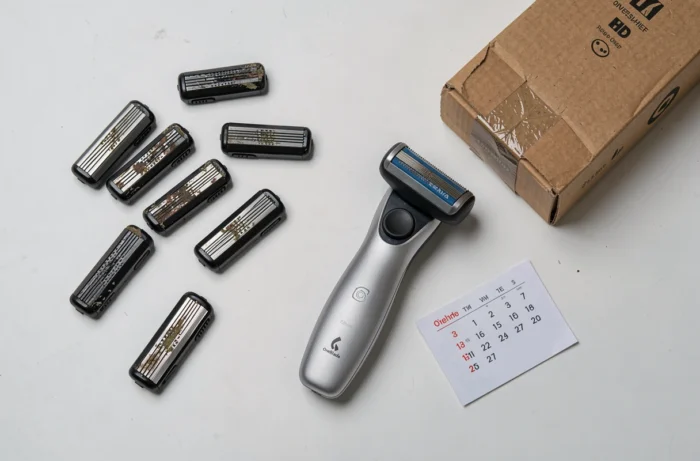
OneBlade Pro replacement indicator: what it really measures
Two mechanisms coexist on the OneBlade Pro to signal wear, and neither is reliable on its own.
The pattern engraved on the blade
Each OneBlade blade features a hashed pattern that gradually fades with use. When it disappears, a replacement symbol becomes visible. Philips specifies that the first appearance of the symbol is not a replacement signal. You must wait until the hashed pattern has clearly disappeared to consider the blade worn out.
Some users change their blade as soon as they see the symbol, sometimes after just a few weeks. This precaution leads to unnecessary extra costs.
The orange indicator on equipped models
The orange indicator is not present on all OneBlade Pro models. On models that have it, it does not physically detect the blade mounted on the device. After a replacement, the indicator may remain orange if the user does not manually reset it. This operation creates frequent confusion: the blade is new, but the device continues to display a wear signal.
The most reliable signals remain tactile and visual:
- The shave pulls on the hairs instead of cutting cleanly, indicating that the protective coating on the blade is degraded
- Irritations appear on areas usually tolerant, particularly the neck
- The hashed pattern has completely disappeared and the replacement symbol is clearly visible across the entire surface
Compatibility of OneBlade Pro blades: excluded references and recommended series
The compatibility between OneBlade blades and handles seems simple on paper. Philips presents the 360 blades as suitable for “all OneBlade handles.” The exact wording deserves careful reading.
The 360 blades are not compatible with the QP1XXX, QI1XXX, QP652x, QP651x, QP662x, and QP6505 series. These exclusions concern first-generation models and some recent OneBlade Pro. The redesigned clip of the 360 blades (reference QP410/30 or QP440/60) does not fit these handles.
Philips also recommends, for an adapted experience with the 360 blades, the handles from the QP2/QP6XXX series. “Compatible” and “suitable” do not cover the same reality: a 360 blade can fit on an older handle without the shaving result being equivalent to that obtained with a newer generation handle.
Before purchasing replacement blades, three checks are necessary:
- Note the exact reference of the handle (written under the device or in the manual) and compare it to the exclusion list
- Distinguish classic blades (reference QP210 or QP220) from 360 blades (reference QP410 or QP440), as they are not interchangeable
- Ensure that the pack of blades purchased corresponds to the intended area of use (face, body, or both), as some blades are designed for specific use
Actual cost of OneBlade Pro blades according to shaving frequency
The purchase price of the device represents only a fraction of the total budget. The cost of replacement blades exceeds that of the handle within a few quarters, especially for daily shaving.
Philips sells its replacement blades in packs of two or three. The unit price varies depending on the reference (classic or 360) and the distribution channel. The 360 blades cost significantly more than the classic blades, for an identical announced lifespan.
A user who shaves twice a week replaces their blade about three times a year. A daily user doubles this rate, bringing consumption to six blades per year. Over two years, the budget gap between these two profiles reaches the price of a new device.
The absence of officially compatible third-party blades limits savings options. Some manufacturers offer alternatives, but their mechanical compatibility and the quality of the protective coating have not been validated by Philips. Using an uncertified blade voids the device’s warranty in most cases.
The most cost-effective parameter remains the shaving frequency itself. Spacing sessions by one day extends the lifespan of the blade proportionally, without any visible compromise on the result for a medium-density beard.